Free tool
How Many Google Reviews Do I Need to Go Up a Star?
Ever wondered exactly how many 5-star reviews it takes to nudge a 4.2 up to a 4.5? It’s not a guessing game; it’s maths. Because older reviews carry the same weight as new ones in a lifetime average, moving the needle takes a clear, data-driven strategy.
Our target rating calculator does the heavy lifting. From your current review count and average, it pinpoints the exact number of positive reviews you need to hit your goal. Enter your current rating and review volume to see your “review gap”.
Know your star breakdown? Get an exact answer
Google rounds your rating to one decimal place. Enter how many reviews you have at each star level (shown on your Google Business Profile) for an exact result.
To go from 4.2 to 4.5 with 87 reviews, you need
40
new 5-star reviews in a row.
Google rounds to one decimal place, so you’ll show 4.5★ once your average reaches 4.45.
Not every review will be 5 stars. If your new reviews average 4.8★, plan for about 63 new reviews.
Compare with competitorsAn exact number
Not a rough estimate: the precise number of 5★ reviews needed, using the same average Google shows.
A realistic timeline
See how long it will take at your current review velocity, and how much faster you could get there.
Set the right goal
Know whether 4.5, 4.7 or 4.9 is realistic for your business this quarter.
The formula: how many 5-star reviews you need
Your Google rating is a simple average of every star rating you’ve ever received, rounded to one decimal place. That rounding helps you: you show 4.5 as soon as your exact average reaches 4.45. To work out how many new 5-star reviews you need to reach a target, use:
5-star reviews needed = current reviews × (target − 0.05 − current rating) ÷ (5 − target + 0.05)
Round the answer up to the next whole review. For example, 50 reviews at 4.3 needs 50 × 0.15 ÷ 0.55 = 13.6, so 14 new 5-star reviews to show 4.5.
Worked examples
| Reviews now | Rating now | Target | 5★ reviews needed |
|---|---|---|---|
| 20 | 4.0 | 4.5 | 17 |
| 50 | 4.3 | 4.5 | 14 |
| 87 | 4.2 | 4.5 | 40 |
| 100 | 4.6 | 4.8 | 60 |
| 200 | 4.7 | 4.8 | 40 |
Notice the pattern: the closer you get to 5.0, the more reviews each extra 0.1 costs, and the more reviews you already have, the slower your average moves.
Can you get back to 5.0 after a bad review? Yes. Because of the rounding, 5.0 shows once your average reaches 4.95. A business with 60 five-star reviews that gets one 1-star review drops to 4.93, which shows as 4.9. Another 19 five-star reviews takes it back to 4.95 and 5.0 on Google.
How many Google reviews is good?
There’s no single magic number. What matters is how you compare with the businesses in your local map pack, the top three results on Google Maps for your service in your area. If they have 120 reviews and you have 30, closing that gap matters more than your rating going from 4.7 to 4.8.
Recency matters too. A steady flow of new reviews (your review velocity) tells Google and customers you’re active today. Read what review velocity is and why it matters, or get a free report comparing you with your competitors.
Frequently asked questions
How is a Google rating calculated?
Google shows the average of all your star ratings, rounded to one decimal place. Every review counts equally, so the more reviews you already have, the more new 5-star reviews it takes to move your average.
How many 5-star reviews do I need to go from 4.2 to 4.5?
It depends on how many reviews you have. With 87 reviews averaging 4.2, you need 40 new 5-star reviews to show 4.5, because Google rounds 4.45 and above up to 4.5. Enter your own numbers above for your exact figure.
Can I remove bad reviews to raise my rating?
Only reviews that break Google’s policies can be removed. Use our Review Removal Triage tool to check a review against Google’s policies and get the right way to report it.
How many reviews do I need to get a 5-star rating on Google?
Google rounds your rating to one decimal place, so you show 5.0 once your exact average reaches 4.95, even with a review below 5 stars. With 60 five-star reviews and one 1-star review, for example, you need 19 more 5-star reviews to get back to 5.0. Enter your star breakdown above for your exact number.
How many Google reviews do I need?
Enough to match or beat the businesses ranking above you on Google Maps, with new reviews arriving every week or two. Our free review report shows exactly where you stand against your local competitors.
Free review report
How fast are you getting reviews compared with your competitors?
Get your score out of 100, your local ranking against the top 3 near you, and exactly how many 5★ reviews you need to overtake them. Free, in about 15 seconds.
No card. No sign-up.
What does Review Velocity give my business?
Gather Reviews
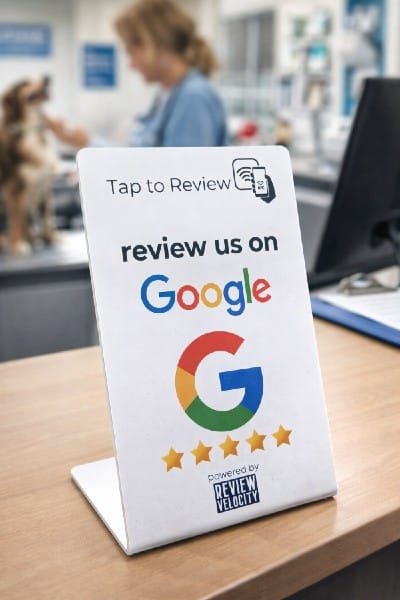
The core of our software is making it easy to get your customers to leave you the glowing reviews your business deserves: Tap to Review (the same tech as tap to pay), QR codes, email requests, SMS requests and WhatsApp requests. Each type of business needs a different strategy for success.
Respond to your Reviews
Respond to every review across all your platforms in one place, or let Velocity AI auto-respond for you, or use it as a template and add your own customisation. For customers leaving reviews, AI suggestions guide them on what to write so you get better, more detailed reviews automatically.
Weekly Blog Posts on Autopilot
Velocity AI writes a new blog post for your website every week, with its own image, using your reviews and your Google Business Profile as the source. Each post targets the services and towns your customers search for, so your site keeps growing in local search without you writing a word (Professional plan).
See live examplesSocial Review Sharing
Finding it difficult to know what to post on your socials every week? Review Velocity lets you share the best of your reviews across multiple social platforms automatically. What better way to get potential clients interested in your business?
Google Business Profile Management
We help busy business owners manage their Google Business Profile from the dashboard, including updating opening hours, uploading photos, updating descriptions and posting to your page. Velocity AI posts to your GBP profile.
Website Widget
Display your best reviews from your chosen review platforms on your website. It updates automatically, so your site always shows the latest social proof of just how great your business is. If you don’t have a website yet, Review Velocity will give you a free starter website.
Ranking, Performance and Strategy Insights
Our dashboard gives you your review stats and breakdowns across review platforms. It also lets you check your rankings and competitors and your Google performance, and gives you strategy insights: what’s working, what you can improve based on customer feedback, and an action plan.
Online Dashboard
All of our features are located in one easy to use dashboard. You can manage and respond to reviews, update your Google Business page, post to your page, share reviews straight to your social channels, review your weekly blog posts and show all your latest reviews on your website. It’s a way to manage your local reputation quickly and easily.

Ready to Stop Losing Customers to Competitors With More Reviews?
Start your 14-day free trial today. Get full access to everything. No credit card. No risk. No complicated setup.
Start your free trial14 Day Free Trial. No Credit Card Required
Seriously, what have you got to lose? We are currently offering a 14 day free trial and a free onboarding call to get your business set up with no fuss!